Python File Handling: Read, Write, and Manage Files Like a Pro
Master Python file operations with practical examples. Learn to read, write, and manage files, plus build a real notes application that saves your data.
🕒 9 min read
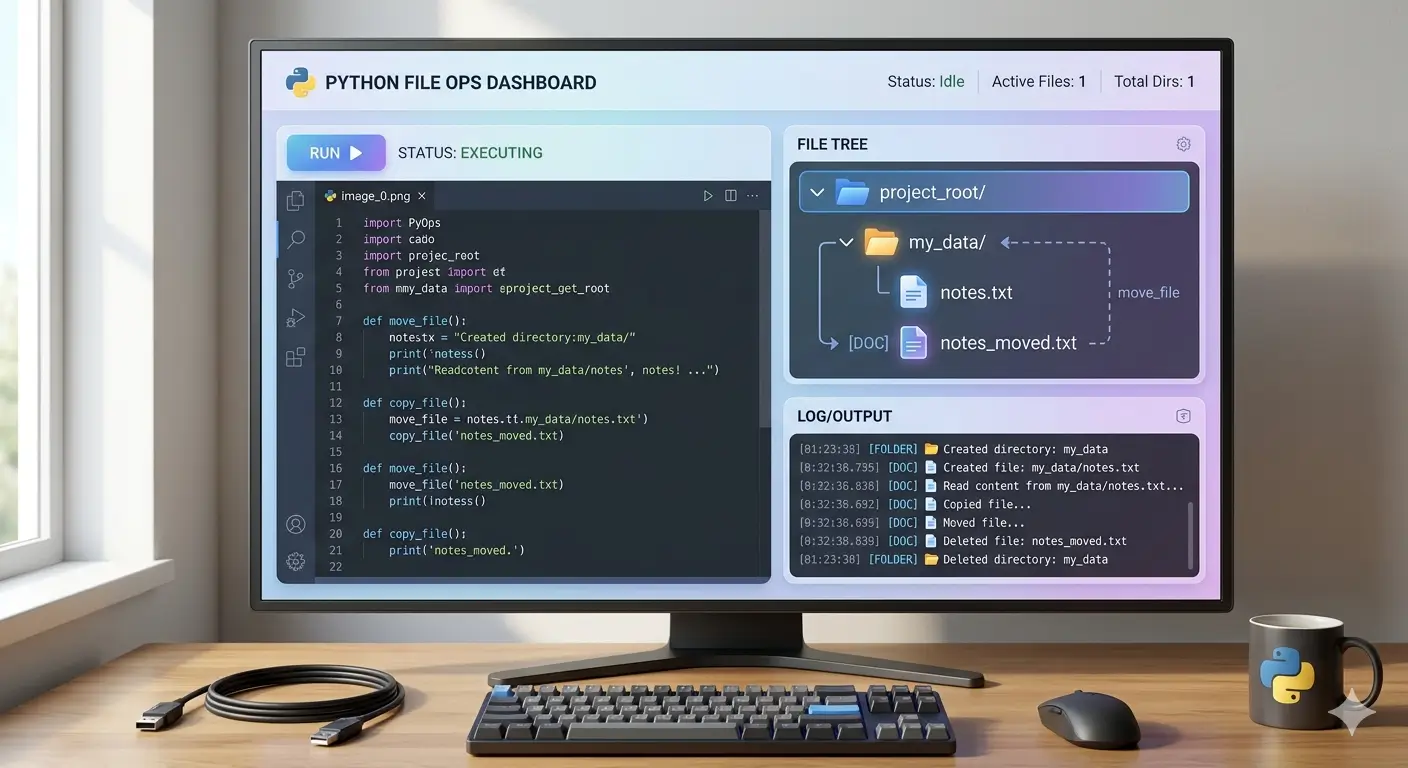
Hey there! 👋 Remember when we built that budget tracker and lost all our data when the program closed? Yeah, that happened to me too. I was so frustrated!
I’d spend time entering all my expenses, close the program, and POOF - everything disappeared. 🤯
That’s when I realized: my program had amnesia!
Today, we’re going to cure that by learning how to save and load data using Python file handling. By the end, your programs will remember everything - just like a real app!
Why File Handling Changes Everything
Before File Handling:
# Every time you run this, you start from zero
tasks = ["Buy milk", "Call mom"]  # Gone when program closes!

# Add a task
tasks.append("Learn Python")
# Close program → all tasks disappear forever 💔
After File Handling:
# Your data lives on your hard drive
with open("tasks.txt", "r") as file:
    tasks = file.readlines()  # Load saved tasks!

# Add a task
tasks.append("Learn Python\n")

# Save for next time
with open("tasks.txt", "w") as file:
    file.writelines(tasks)
# Close program → tasks still there next time! ✅
The Three Steps to File Mastery Think of file handling like working with a physical filing cabinet:
Open the drawer (open file)
Read or Write papers (read/write data)
Close the drawer (close file)
Opening Files: The Right Way The Old Way (Don’t Do This!)
# ❌ Risky - you might forget to close
file = open("data.txt", "r")
content = file.read()
file.close()  # Easy to forget!

# If an error occurs before close, file stays open!
The Python Way (Always Do This!)
# ✅ Safe - automatically closes even if errors occur
with open("data.txt", "r") as file:
    content = file.read()
# File is automatically closed here
Reading Files: 4 Ways to Get Your Data Method 1: Read Everything at Once
with open("my_file.txt", "r") as file:
    all_content = file.read()
    print(all_content)
Method 2: Read Line by Line
with open("my_file.txt", "r") as file:
    for line in file:
        print(f"Line: {line.strip()}")
Method 3: Read All Lines into a List
with open("my_file.txt", "r") as file:
    lines = file.readlines()  # Returns list of lines

for i, line in enumerate(lines, 1):
    print(f"{i}. {line.strip()}")
Method 4: Read One Line at a Time
with open("my_file.txt", "r") as file:
    first_line = file.readline()  # First line only
    second_line = file.readline()  # Next line
Writing Files: Saving Your Data Writing Modes Explained: “w” - Write (overwrites existing content)
“a” - Append (adds to end of file)
“x” - Exclusive creation (fails if file exists)
# Write mode - creates new file or overwrites existing
with open("journal.txt", "w") as file:
    file.write("Dear Diary,\n")
    file.write("Today I learned Python file handling!\n")
    file.write("It's amazing! 🎉\n")

# Append mode - adds to existing file
with open("journal.txt", "a") as file:
    file.write("\nP.S. I can't believe how easy this is!")

# Read what we wrote
with open("journal.txt", "r") as file:
    print(file.read())
Practical Project 1: Personal Journal App Let’s build something you’ll actually use!
import datetime
import os

class PersonalJournal:
    def __init__(self, journal_file="my_journal.txt"):
        self.journal_file = journal_file

    def add_entry(self):
        """Add a new journal entry"""
        print("\n📝 Write your entry (type 'END' on a new line to finish):")
        lines = []
        while True:
            line = input()
            if line == "END":
                break
            lines.append(line)

        if not lines:
            print("No entry written!")
            return

        # Add timestamp
        timestamp = datetime.datetime.now().strftime("%Y-%m-%d %H:%M:%S")

        with open(self.journal_file, "a") as file:
            file.write(f"\n[{timestamp}]\n")
            for line in lines:
                file.write(f"{line}\n")
            file.write("-" * 40 + "\n")

        print(f"✅ Entry saved to {self.journal_file}")

    def read_entries(self):
        """Read all journal entries"""
        if not os.path.exists(self.journal_file):
            print("📭 No journal entries yet! Write your first entry.")
            return

        with open(self.journal_file, "r") as file:
            content = file.read()

        if not content.strip():
            print("📭 Journal is empty")
        else:
            print("\n" + "=" * 50)
            print("📔 YOUR JOURNAL")
            print("=" * 50)
            print(content)

    def search_entries(self, keyword):
        """Search for entries containing keyword"""
        if not os.path.exists(self.journal_file):
            print("No entries to search!")
            return

        found = []
        with open(self.journal_file, "r") as file:
            content = file.read()
            entries = content.split("-" * 40)

            for entry in entries:
                if keyword.lower() in entry.lower():
                    found.append(entry.strip())

        if found:
            print(f"\n🔍 Found {len(found)} entries containing '{keyword}':")
            print("=" * 50)
            for entry in found:
                print(entry)
                print("-" * 30)
        else:
            print(f"❌ No entries found containing '{keyword}'")

    def run(self):
        """Run the journal app"""
        while True:
            print("\n" + "=" * 40)
            print("📔 PERSONAL JOURNAL")
            print("=" * 40)
            print("1. Add Entry")
            print("2. Read All Entries")
            print("3. Search Entries")
            print("4. Exit")

            choice = input("\nChoose option (1-4): ")

            if choice == "1":
                self.add_entry()
            elif choice == "2":
                self.read_entries()
            elif choice == "3":
                keyword = input("Enter search term: ")
                self.search_entries(keyword)
            elif choice == "4":
                print("👋 Goodbye! Your memories are saved.")
                break
            else:
                print("❌ Invalid choice. Try again!")

# Start your journal!
# journal = PersonalJournal()
# journal.run()
Working with CSV Files (Spreadsheets) CSV files are like Excel spreadsheets in text form - perfect for data!
import csv

class ExpenseTracker:
    def __init__(self, filename="expenses.csv"):
        self.filename = filename
        self.initialize_file()

    def initialize_file(self):
        """Create CSV file with headers if it doesn't exist"""
        if not os.path.exists(self.filename):
            with open(self.filename, 'w', newline='') as file:
                writer = csv.writer(file)
                writer.writerow(["Date", "Category", "Description", "Amount"])

    def add_expense(self, date, category, description, amount):
        """Add a new expense to the CSV file"""
        with open(self.filename, 'a', newline='') as file:
            writer = csv.writer(file)
            writer.writerow([date, category, description, amount])
        print(f"✅ Added: {category} - ${amount}")

    def view_expenses(self):
        """View all expenses"""
        with open(self.filename, 'r') as file:
            reader = csv.reader(file)
            rows = list(reader)

        if len(rows) <= 1:
            print("📭 No expenses yet!")
            return

        print("\n📊 YOUR EXPENSES")
        print("-" * 60)
        print(f"{'Date':12} {'Category':12} {'Description':20} {'Amount':8}")
        print("-" * 60)

        total = 0
        for row in rows[1:]:  # Skip header
            print(f"{row[0]:12} {row[1]:12} {row[2]:20} ${float(row[3]):8.2f}")
            total += float(row[3])

        print("-" * 60)
        print(f"Total: ${total:.2f}")

    def summary_by_category(self):
        """Get spending summary by category"""
        category_totals = {}

        with open(self.filename, 'r') as file:
            reader = csv.reader(file)
            next(reader)  # Skip header
            for row in reader:
                category = row[1]
                amount = float(row[3])
                category_totals[category] = category_totals.get(category, 0) + amount

        if category_totals:
            print("\n📈 SPENDING BY CATEGORY")
            print("-" * 30)
            for category, total in sorted(category_totals.items(), key=lambda x: x[1], reverse=True):
                print(f"{category:15} ${total:10.2f}")

# Usage
tracker = ExpenseTracker()
# tracker.add_expense("2025-01-15", "Food", "Groceries", 75.50)
# tracker.add_expense("2025-01-15", "Transport", "Bus pass", 45.00)
# tracker.view_expenses()
# tracker.summary_by_category()
Working with JSON Files (Structured Data) JSON is perfect for saving Python dictionaries and lists!
import json

class UserPreferences:
    def __init__(self, filename="preferences.json"):
        self.filename = filename
        self.data = self.load()

    def load(self):
        """Load preferences from JSON file"""
        if os.path.exists(self.filename):
            try:
                with open(self.filename, 'r') as file:
                    return json.load(file)
            except json.JSONDecodeError:
                print("⚠️ Preferences file corrupted. Using defaults.")
                return self.default_preferences()
        else:
            return self.default_preferences()

    def default_preferences(self):
        """Return default preferences"""
        return {
            "theme": "light",
            "font_size": 12,
            "notifications": True,
            "language": "English",
            "last_login": None
        }

    def save(self):
        """Save preferences to JSON file"""
        with open(self.filename, 'w') as file:
            json.dump(self.data, file, indent=4)
        print("✅ Preferences saved!")

    def update(self, key, value):
        """Update a preference"""
        if key in self.data:
            self.data[key] = value
            self.save()
            print(f"✅ Updated {key} to {value}")
        else:
            print(f"❌ Unknown preference: {key}")

    def show(self):
        """Show all preferences"""
        print("\n⚙️ YOUR PREFERENCES")
        print("-" * 30)
        for key, value in self.data.items():
            print(f"{key:15}: {value}")

# Usage
prefs = UserPreferences()
prefs.show()
# prefs.update("theme", "dark")
# prefs.update("font_size", 14)
Practical Project 3: Task Manager with Persistence Now let’s combine everything into a real app that saves your tasks!
import json
import os
from datetime import datetime

class TaskManager:
    def __init__(self, filename="tasks.json"):
        self.filename = filename
        self.tasks = self.load_tasks()

    def load_tasks(self):
        """Load tasks from JSON file"""
        if os.path.exists(self.filename):
            try:
                with open(self.filename, 'r') as file:
                    return json.load(file)
            except (json.JSONDecodeError, FileNotFoundError):
                return []
        return []

    def save_tasks(self):
        """Save tasks to JSON file"""
        with open(self.filename, 'w') as file:
            json.dump(self.tasks, file, indent=4)

    def add_task(self, title, priority="medium"):
        """Add a new task"""
        task = {
            "id": len(self.tasks) + 1,
            "title": title,
            "priority": priority,
            "completed": False,
            "created": datetime.now().strftime("%Y-%m-%d %H:%M:%S")
        }
        self.tasks.append(task)
        self.save_tasks()
        print(f"✅ Task added: {title}")

    def complete_task(self, task_id):
        """Mark a task as completed"""
        for task in self.tasks:
            if task["id"] == task_id:
                task["completed"] = True
                task["completed_date"] = datetime.now().strftime("%Y-%m-%d %H:%M:%S")
                self.save_tasks()
                print(f"🎉 Task completed: {task['title']}")
                return
        print(f"❌ Task {task_id} not found")

    def delete_task(self, task_id):
        """Delete a task"""
        initial_count = len(self.tasks)
        self.tasks = [task for task in self.tasks if task["id"] != task_id]

        if len(self.tasks) < initial_count:
            # Reassign IDs
            for i, task in enumerate(self.tasks, 1):
                task["id"] = i
            self.save_tasks()
            print(f"✅ Task {task_id} deleted")
        else:
            print(f"❌ Task {task_id} not found")

    def show_tasks(self, show_completed=False):
        """Display all tasks"""
        if not self.tasks:
            print("📭 No tasks yet!")
            return

        print("\n📋 YOUR TASKS")
        print("=" * 60)

        pending = [t for t in self.tasks if not t["completed"]]
        completed = [t for t in self.tasks if t["completed"]]

        if pending:
            print("\n🟡 PENDING TASKS:")
            for task in pending:
                priority_icon = "🔴" if task["priority"] == "high" else "🟡" if task["priority"] == "medium" else "🟢"
                print(f"  {priority_icon} [{task['id']}] {task['title']}")

        if show_completed and completed:
            print("\n✅ COMPLETED TASKS:")
            for task in completed:
                print(f"  ✓ [{task['id']}] {task['title']}")

    def run(self):
        """Run the task manager app"""
        while True:
            print("\n" + "=" * 40)
            print("📋 TASK MANAGER")
            print("=" * 40)
            print("1. Add Task")
            print("2. Complete Task")
            print("3. Delete Task")
            print("4. View Tasks")
            print("5. View All (including completed)")
            print("6. Exit")

            choice = input("\nChoose option (1-6): ")

            if choice == "1":
                title = input("Task title: ")
                priority = input("Priority (high/medium/low): ").lower()
                if priority not in ["high", "medium", "low"]:
                    priority = "medium"
                self.add_task(title, priority)

            elif choice == "2":
                self.show_tasks(show_completed=False)
                try:
                    task_id = int(input("Enter task ID to complete: "))
                    self.complete_task(task_id)
                except ValueError:
                    print("❌ Invalid ID!")

            elif choice == "3":
                self.show_tasks(show_completed=False)
                try:
                    task_id = int(input("Enter task ID to delete: "))
                    self.delete_task(task_id)
                except ValueError:
                    print("❌ Invalid ID!")

            elif choice == "4":
                self.show_tasks(show_completed=False)

            elif choice == "5":
                self.show_tasks(show_completed=True)

            elif choice == "6":
                print("👋 Goodbye! Your tasks are saved.")
                break
            else:
                print("❌ Invalid choice!")

# Run the task manager
# task_manager = TaskManager()
# task_manager.run()
Common File Errors and Solutions Error 1: FileNotFoundError
try:
    with open("missing.txt", "r") as file:
        content = file.read()
except FileNotFoundError:
    print("File not found! Let me create it...")
    # Create the file
    with open("missing.txt", "w") as file:
        file.write("Created new file!")
Error 2: PermissionError
try:
    with open("/root/protected.txt", "w") as file:
        file.write("data")
except PermissionError:
    print("Don't have permission to write there. Try a different location!")
Error 3: IsADirectoryError
try:
    with open("/home/user/Documents", "w") as file:
        file.write("data")
except IsADirectoryError:
    print("That's a folder, not a file! Specify a filename.")
Best Practices Summary ✅ DO: Always use with open() statements
Handle possible file errors
Use appropriate file modes (r, w, a, x)
Close files automatically (using with)
Use try/except for file operations
❌ DON’T: Forget to close files
Assume files exist without checking
Use the wrong file mode
Ignore file errors
Hardcode file paths
What’s Next? Python Modules! In our next Python post, we’ll explore “Python Modules and Packages: Organize Your Code Like a Pro” where we’ll learn:
Creating and using modules
Working with Python’s standard library
Installing third-party packages with pip
Building a toolkit of reusable code
Your File Handling Mission This week, practice by:
Build the journal app and write 3 entries
Create a CSV expense tracker for this week’s spending
Save user preferences in a JSON file
Share in comments: What data will your program remember?
Wrapping Up Today you cured your program’s amnesia! You can now:
✅ Read and write text files
✅ Work with CSV spreadsheets
✅ Save structured data with JSON
✅ Build persistent applications
✅ Handle file errors gracefully
Remember: Real programs save data. Your programs just got real!
What will you build that never forgets? 🚀
Built something cool with file handling? Got stuck on a file operation? Share your questions and creations in the comments!

Comments & Discussion
Join the conversation using your GitHub account. Comments are powered by Utterances.