Python Data Structures Explained: Lists, Tuples, and Dictionaries for Beginners
Master Python data structures with practical examples. Learn how to use lists, tuples, and dictionaries to store and organize your data efficiently.
🕒 9 min read
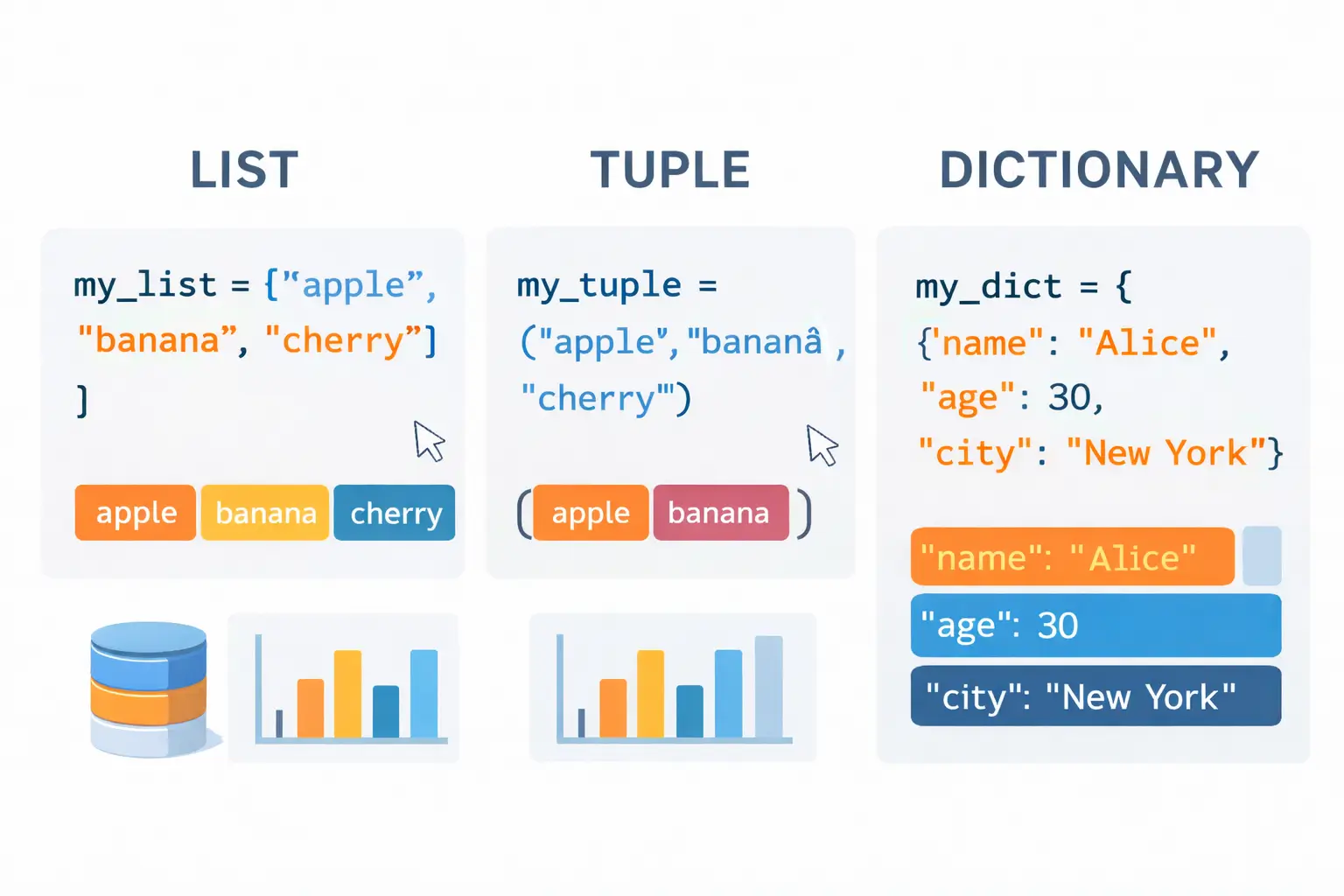
Hey there! 👋 Remember when we learned about functions and how they help us organize our code? Well, today we’re going to organize our data using Python’s powerful data structures!
Let me tell you a story from my early coding days. I was building a simple contact manager, and I thought, “I’ll just create separate variables for everything!”
# My embarrassing first attempt 😅
contact1_name = "Alice"
contact1_phone = "555-1234"
contact1_email = "alice@email.com"

contact2_name = "Bob"
contact2_phone = "555-5678"
contact2_email = "bob@email.com"

# ...and 20 more contacts later, pure chaos! 🤯
It was a nightmare to manage! Then I discovered Python data structures, and everything changed. Today, I’ll show you how to store and organize data like a pro!
What Are Data Structures? Think of data structures like different types of containers:
Lists = Flexible shopping bags (add/remove items easily)
Tuples = Sealed packages (can’t change once created)
Dictionaries = Labeled filing cabinets (find things by name)
Each has its purpose, and knowing when to use which will make your code cleaner and more efficient!
- Lists: Your Flexible Shopping Bag Lists are like shopping bags - you can add items, remove items, and rearrange them however you want!
Creating and Using Lists
# Creating lists
shopping_list = ["apples", "bread", "milk", "eggs"]
numbers = [1, 2, 3, 4, 5]
mixed = ["apple", 3, True, 4.5]  # Lists can hold different types!

print(f"My shopping list: {shopping_list}")
print(f"First item: {shopping_list[0]}")      # apples
print(f"Last item: {shopping_list[-1]}")      # eggs
List Operations: Your Shopping Trip

```python
# Let's go shopping!
cart = []

# Adding items (putting things in the bag)
cart.append("bananas")          # Add to end
cart.insert(0, "oranges")       # Add at beginning
cart.extend(["grapes", "berries"])  # Add multiple items

print(f"Cart after adding: {cart}")
# Output: ['oranges', 'bananas', 'grapes', 'berries']

# Removing items (taking things out)
cart.remove("grapes")           # Remove specific item
last_item = cart.pop()          # Remove and get last item
first_item = cart.pop(0)        # Remove and get first item

print(f"Cart after removing: {cart}")
print(f"Removed: {first_item} and {last_item}")

# Checking what's in the bag
if "bananas" in cart:
    print("We need bananas! ✅")

print(f"We have {len(cart)} items in cart")
Real-World List Example: Daily Task Manager
def manage_daily_tasks():
    """A simple daily task manager using lists"""
    tasks = []

    print("📋 Welcome to Daily Task Manager!")

    while True:
        print("\nOptions: [A]dd [C]omplete [V]iew [Q]uit")
        choice = input("Choose: ").lower()

        if choice == 'a':
            task = input("Enter new task: ")
            tasks.append(task)
            print(f"✅ Added: {task}")

        elif choice == 'c':
            if tasks:
                print("Current tasks:")
                for i, task in enumerate(tasks, 1):
                    print(f"{i}. {task}")

                task_num = int(input("Enter task number to complete: ")) - 1
                if 0 <= task_num < len(tasks):
                    completed = tasks.pop(task_num)
                    print(f"🎉 Completed: {completed}")
                else:
                    print("❌ Invalid task number")
            else:
                print("📭 No tasks to complete!")

        elif choice == 'v':
            if tasks:
                print("\n📋 Your Tasks:")
                for i, task in enumerate(tasks, 1):
                    print(f"{i}. {task}")
            else:
                print("📭 No tasks yet!")

        elif choice == 'q':
            print("👋 Goodbye!")
            break

        else:
            print("❌ Invalid choice")

# Try it out!
# manage_daily_tasks()
- Tuples: Your Sealed Package Tuples are like sealed packages - once you create them, you can’t change what’s inside!
When to Use Tuples
# Creating tuples (use parentheses or just commas)
coordinates = (10, 20)
colors = "red", "green", "blue"  # Parentheses optional
user = ("Alice", 28, "Developer")

# Tuples are perfect for data that shouldn't change
days_of_week = ("Monday", "Tuesday", "Wednesday", "Thursday",
                "Friday", "Saturday", "Sunday")

months = ("January", "February", "March", "April", "May", "June",
          "July", "August", "September", "October", "November", "December")

# Accessing tuple elements
print(f"First day: {days_of_week[0]}")      # Monday
print(f"Last month: {months[-1]}")          # December

# Trying to change a tuple (this will fail!)
# days_of_week[0] = "Fun-day"  # ❌ Error! Can't modify tuples

# But you can create new tuples from existing ones
weekend = days_of_week[5:]  # Slice creates a new tuple
print(f"Weekend: {weekend}")  # ('Saturday', 'Sunday')
Real-World Tuple Example: RGB Color System
def rgb_to_hex(color_tuple):
    """Convert RGB tuple to hex color code"""
    if len(color_tuple) != 3:
        return "Invalid RGB format"

    r, g, b = color_tuple
    return f"#{r:02x}{g:02x}{b:02x}".upper()

# Color palette - tuples ensure colors don't get modified
color_palette = {
    "primary": (59, 130, 246),    # Blue
    "success": (34, 197, 94),     # Green
    "warning": (245, 158, 11),    # Yellow
    "danger": (239, 68, 68),      # Red
    "dark": (30, 41, 59)          # Dark blue
}

print("🎨 Color Palette:")
for name, rgb in color_palette.items():
    hex_code = rgb_to_hex(rgb)
    print(f"{name:10} RGB{rgb} → {hex_code}")
- Dictionaries: Your Labeled Filing Cabinet Dictionaries are like labeled filing cabinets - you store things with labels (keys) so you can find them quickly!
Creating and Using Dictionaries
# Creating dictionaries (key-value pairs)
user = {
    "name": "Alice",
    "age": 28,
    "email": "alice@example.com",
    "is_active": True
}

# Accessing values by key
print(f"Name: {user['name']}")
print(f"Age: {user.get('age')}")

# Adding new key-value pairs
user["city"] = "New York"
user["skills"] = ["Python", "JavaScript", "SQL"]

# Updating values
user["age"] = 29  # Happy birthday! 🎂

# Removing items
removed_email = user.pop("email")  # Remove and get value
user.popitem()  # Remove last inserted item

print(f"Updated user: {user}")
Real-World Dictionary Example: Contact Manager
class ContactManager:
    def __init__(self):
        self.contacts = {}

    def add_contact(self, name, phone, email):
        """Add a new contact"""
        self.contacts[name] = {
            "phone": phone,
            "email": email,
            "created": "2024-01-08"
        }
        print(f"✅ Added contact: {name}")

    def find_contact(self, name):
        """Find a contact by name"""
        contact = self.contacts.get(name)
        if contact:
            print(f"📇 {name}:")
            print(f"   Phone: {contact['phone']}")
            print(f"   Email: {contact['email']}")
            return contact
        else:
            print(f"❌ Contact '{name}' not found")
            return None

    def update_contact(self, name, **updates):
        """Update contact information"""
        if name in self.contacts:
            self.contacts[name].update(updates)
            print(f"✅ Updated {name}")
        else:
            print(f"❌ Contact '{name}' not found")

    def list_contacts(self):
        """List all contacts"""
        if not self.contacts:
            print("📭 No contacts yet!")
            return

        print(f"📇 You have {len(self.contacts)} contacts:")
        for name, info in self.contacts.items():
            print(f"  • {name}: {info['phone']}")

# Using our contact manager
def test_contact_manager():
    cm = ContactManager()

    # Add contacts
    cm.add_contact("Alice", "555-1234", "alice@email.com")
    cm.add_contact("Bob", "555-5678", "bob@email.com")
    cm.add_contact("Charlie", "555-9012", "charlie@email.com")

    # Find a contact
    cm.find_contact("Alice")

    # Update contact
    cm.update_contact("Bob", phone="555-9999", city="Boston")

    # List all contacts
    cm.list_contacts()

# test_contact_manager()
Choosing the Right Data Structure Decision Guide:
# Use a LIST when:
# - You need ordered items
# - You'll add/remove items frequently
# - Items have the same type

todo_list = ["Wake up", "Brush teeth", "Make coffee", "Start coding"]

# Use a TUPLE when:
# - Data shouldn't change (immutable)
# - You need to ensure data integrity
# - Returning multiple values from functions

def get_user_stats():
    return ("Alice", 1500, "Gold")  # (name, points, tier)

# Use a DICTIONARY when:
# - You need to look up values by key
# - Data has labeled attributes
# - You need flexible, structured data

product = {
    "id": 123,
    "name": "Python Book",
    "price": 39.99,
    "in_stock": True
}
Practical Project: Inventory System Let’s build a complete inventory system using all three data structures!
class InventorySystem:
    def __init__(self):
        # Dictionary of products (key: product_id)
        self.products = {}
        # List of transactions
        self.transactions = []
        # Tuple of categories (fixed list)
        self.categories = ("Electronics", "Books", "Clothing", "Food", "Other")

    def add_product(self, product_id, name, price, category, quantity=0):
        """Add a new product to inventory"""
        if category not in self.categories:
            print(f"❌ Invalid category. Choose from: {self.categories}")
            return

        self.products[product_id] = {
            "name": name,
            "price": price,
            "category": category,
            "quantity": quantity
        }

        # Add to transaction log
        self.transactions.append((
            "ADD",  # Action
            product_id,
            name,
            quantity,
            "2024-01-08"  # Date
        ))

        print(f"✅ Added {name} (ID: {product_id})")

    def sell_product(self, product_id, quantity):
        """Sell a product"""
        product = self.products.get(product_id)

        if not product:
            print(f"❌ Product {product_id} not found")
            return

        if product["quantity"] < quantity:
            print(f"❌ Not enough stock. Available: {product['quantity']}")
            return

        # Update quantity
        product["quantity"] -= quantity

        # Add to transaction log
        self.transactions.append((
            "SELL",
            product_id,
            product["name"],
            quantity,
            "2024-01-08"
        ))

        total = product["price"] * quantity
        print(f"✅ Sold {quantity} x {product['name']} = ${total:.2f}")

    def get_low_stock(self, threshold=5):
        """Get products with low stock"""
        low_stock = []

        for product_id, product in self.products.items():
            if product["quantity"] <= threshold:
                low_stock.append((product_id, product["name"], product["quantity"]))

        return low_stock  # Returns list of tuples

    def get_category_summary(self):
        """Get summary by category"""
        summary = {}

        for product in self.products.values():
            category = product["category"]
            if category not in summary:
                summary[category] = {
                    "count": 0,
                    "total_value": 0,
                    "total_quantity": 0
                }

            summary[category]["count"] += 1
            summary[category]["total_value"] += product["price"] * product["quantity"]
            summary[category]["total_quantity"] += product["quantity"]

        return summary  # Returns dictionary

# Using our inventory system
def demo_inventory():
    inv = InventorySystem()

    # Add products
    inv.add_product(101, "Python Book", 39.99, "Books", 10)
    inv.add_product(102, "Wireless Mouse", 25.50, "Electronics", 15)
    inv.add_product(103, "T-Shirt", 19.99, "Clothing", 3)  # Low stock!

    # Sell products
    inv.sell_product(101, 2)
    inv.sell_product(102, 5)

    # Check low stock
    low_stock = inv.get_low_stock()
    print("\n⚠️ Low Stock Alert:")
    for product_id, name, quantity in low_stock:
        print(f"  {name} (ID: {product_id}): {quantity} left")

    # Category summary
    summary = inv.get_category_summary()
    print("\n📊 Category Summary:")
    for category, data in summary.items():
        print(f"  {category}: {data['count']} products, "
              f"${data['total_value']:.2f} value")

# demo_inventory()
Common Mistakes and Solutions Mistake 1: Modifying Lists While Looping
# ❌ Wrong
numbers = [1, 2, 3, 4, 5]
for num in numbers:
    if num % 2 == 0:
        numbers.remove(num)  # Changes list size while looping!

# ✅ Correct - Create new list
numbers = [1, 2, 3, 4, 5]
even_numbers = [num for num in numbers if num % 2 == 0]
# Or loop over a copy
for num in numbers[:]:  # [:] creates a copy
    if num % 2 == 0:
        numbers.remove(num)
Mistake 2: Forgetting Tuple Commas
# ❌ Wrong - this is just a string!
single_item = ("apple")
print(type(single_item))  # <class 'str'>

# ✅ Correct - add a comma
single_item = ("apple",)
print(type(single_item))  # <class 'tuple'>
Mistake 3: Accessing Missing Dictionary Keys
# ❌ Wrong - KeyError if key doesn't exist
user = {"name": "Alice"}
email = user["email"]  # KeyError!

# ✅ Correct - Use .get() method
email = user.get("email")  # Returns None if key doesn't exist
email = user.get("email", "default@email.com")  # Provides default
What’s Next? Error Handling in Python! In our next Python post, we’ll dive into “Python Error Handling: Try/Except Made Simple” where we’ll learn:
How to handle errors gracefully
Different types of exceptions
Creating custom error messages
Best practices for robust code
Your Data Structures Mission This week, practice by:
Convert 3 pieces of disorganized data into proper data structures
Build a simple recipe manager using lists and dictionaries
Create a function that returns multiple values using tuples
Share in comments: What data structure helped you solve a real problem?
Wrapping Up Today you learned how to organize your data like a pro! You can now:
✅ Use lists for ordered, modifiable collections
✅ Use tuples for immutable, fixed data
✅ Use dictionaries for labeled, key-value data
✅ Choose the right structure for your needs
✅ Build practical applications with all three
Remember: Good data organization leads to clean, efficient code. Start thinking about how your data should be structured before you write a single line of code!
What will you build with your new data structure skills?
What’s the most interesting thing you’ve stored in a Python data structure? Share your projects and questions in the comments!

Comments & Discussion
Join the conversation using your GitHub account. Comments are powered by Utterances.