Image Recognition for Beginners: Teach Python to 'See' Like Humans
Learn image recognition with Python using simple examples. Build a system that identifies objects in photos with step-by-step tutorials and real projects.
🕒 9 min read
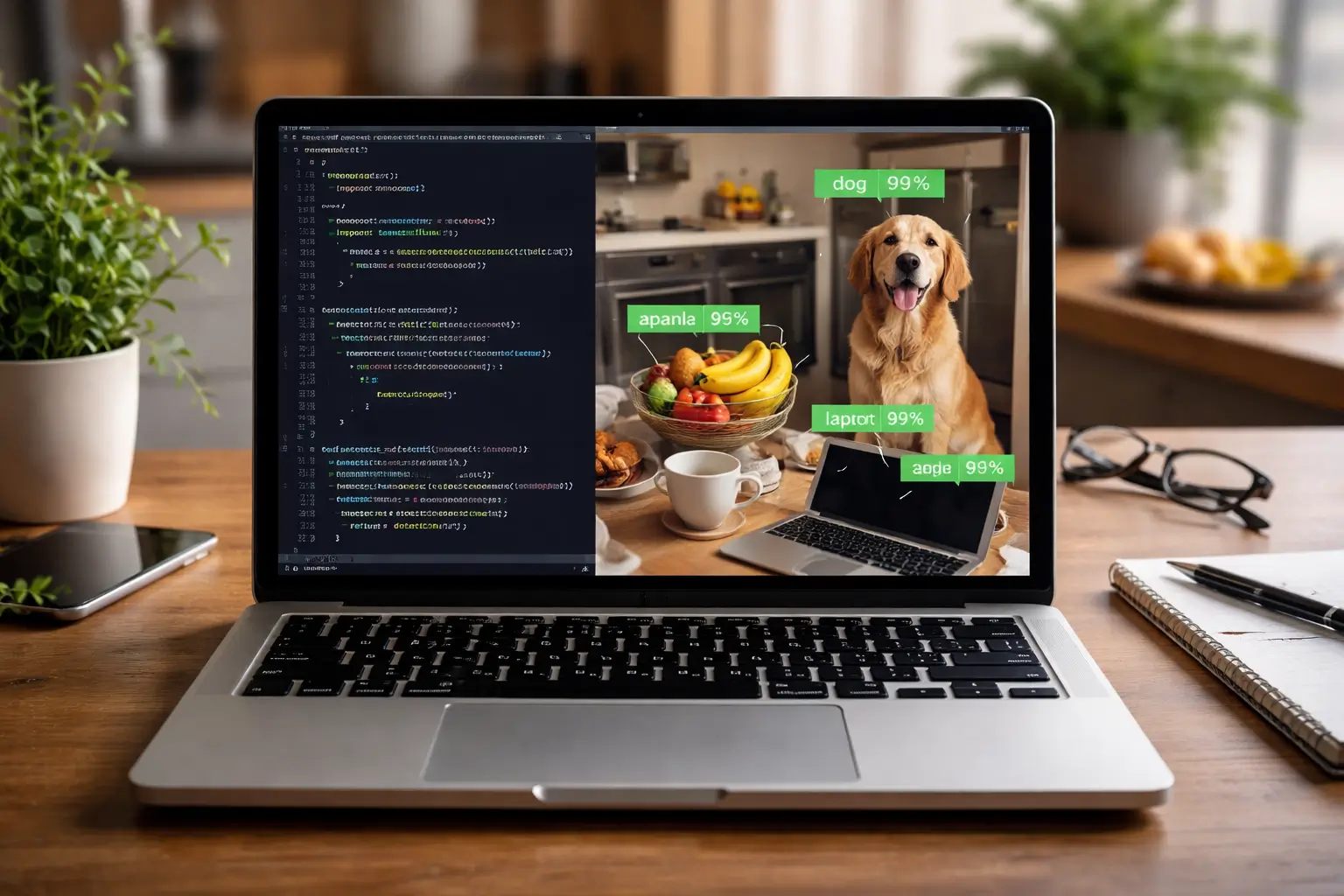
Hey there! 👋 Remember when we built our AI chatbot? Well, today we’re giving Python a new superpower: vision! 🖼️
I’ll never forget the first time I made a computer recognize what was in a photo. I showed it a picture of my cat, and it said… “dog.” 😅 Close, but not quite!
But after some practice (and a few more cat photos), I built a system that could accurately identify objects. Today, I’ll show you exactly how to do the same - no PhD in computer science required!
Why Image Recognition Matters in 2025
Before we dive into code, let me share why this skill is so valuable:
Real-World Applications Everywhere:
- Social Media: Auto-tagging photos
- Healthcare: Analyzing medical images
- Retail: Self-checkout systems
- Security: Face recognition
- Autonomous Vehicles: Seeing and understanding roads
Career Opportunities:
- Computer Vision Engineer: $120,000+ average salary
- AI Researcher: Working on cutting-edge visual AI
- ML Engineer: Building visual recognition systems
What We’re Building Today
We’ll create three increasingly sophisticated image recognition systems:
- Simple Color Detection (Perfect for absolute beginners)
- Object Recognition with Pre-trained Models (Practical and powerful)
- Custom Image Classifier (Train on your own photos!)
By the end, you’ll have a working system that can identify objects in your photos!
Prerequisites: What You’ll Need
# Install these packages
pip install opencv-python pillow matplotlib numpy tensorflow

# For simpler installation, you can also use:
pip install opencv-python-headless pillow
Don’t worry if these sound complicated - I’ll explain each one as we use it!
System 1: Simple Color Detection Let’s start with something visual and satisfying - detecting colors in images!
import cv2
import numpy as np
import matplotlib.pyplot as plt

def detect_colors(image_path):
    """Detect dominant colors in an image"""
    # Read the image
    image = cv2.imread(image_path)
    image_rgb = cv2.cvtColor(image, cv2.COLOR_BGR2RGB)

    # Reshape to list of pixels
    pixels = image_rgb.reshape((-1, 3))

    # Convert to float for k-means
    pixels = np.float32(pixels)

    # Define criteria and apply k-means
    criteria = (cv2.TERM_CRITERIA_EPS + cv2.TERM_CRITERIA_MAX_ITER, 100, 0.2)
    k = 5  # Number of colors to detect
    _, labels, centers = cv2.kmeans(pixels, k, None, criteria, 10, cv2.KMEANS_RANDOM_CENTERS)

    # Convert centers to integers
    centers = np.uint8(centers)

    # Get color percentages
    unique, counts = np.unique(labels, return_counts=True)
    percentages = (counts / counts.sum()) * 100

    print("🎨 Dominant Colors Found:")
    for i, (color, percentage) in enumerate(zip(centers, percentages)):
        print(f"  Color {i+1}: RGB{tuple(color)} - {percentage:.1f}%")

    # Display results
    plt.figure(figsize=(12, 4))

    # Original image
    plt.subplot(1, 2, 1)
    plt.imshow(image_rgb)
    plt.title('Original Image')
    plt.axis('off')

    # Color palette
    plt.subplot(1, 2, 2)
    palette = np.zeros((100, 500, 3), dtype=np.uint8)

    start = 0
    for i, (color, percentage) in enumerate(zip(centers, percentages)):
        width = int(percentage * 5)  # Scale for visualization
        palette[:, start:start+width] = color
        start += width

    plt.imshow(palette)
    plt.title('Color Palette')
    plt.axis('off')

    plt.tight_layout()
    plt.show()

    return centers, percentages

# Try it with your own image!
# detect_colors("your-image.jpg")
Sample Output:
🎨 Dominant Colors Found:
  Color 1: RGB(45, 32, 28) - 25.3%  # Dark brown
  Color 2: RGB(156, 123, 89) - 18.7% # Light brown
  Color 3: RGB(201, 178, 149) - 22.1% # Beige
  Color 4: RGB(89, 104, 121) - 19.5% # Blue-gray
  Color 5: RGB(234, 225, 213) - 14.4% # Off-white
System 2: Object Recognition with Pre-trained Models Now let’s use powerful AI models that already know how to recognize thousands of objects!
import tensorflow as tf
import numpy as np
from PIL import Image
import requests
from io import BytesIO
import matplotlib.pyplot as plt

class ObjectRecognizer:
    def __init__(self):
        # Load a pre-trained model (MobileNetV2 - lightweight and accurate)
        self.model = tf.keras.applications.MobileNetV2(weights='imagenet')

        # Load ImageNet labels (1000 object categories)
        response = requests.get('https://storage.googleapis.com/download.tensorflow.org/data/imagenet_class_index.json')
        self.labels = response.json()

    def recognize_objects(self, image_path, top_k=3):
        """Recognize objects in an image"""
        # Load and preprocess image
        img = Image.open(image_path)
        img = img.convert('RGB')

        # Display the image
        plt.figure(figsize=(8, 6))
        plt.imshow(img)
        plt.axis('off')
        plt.title('Input Image')
        plt.show()

        # Resize to model input size
        img = img.resize((224, 224))

        # Convert to array and preprocess
        img_array = tf.keras.preprocessing.image.img_to_array(img)
        img_array = tf.expand_dims(img_array, 0)
        img_array = tf.keras.applications.mobilenet_v2.preprocess_input(img_array)

        # Make prediction
        predictions = self.model.predict(img_array)

        # Get top predictions
        decoded_predictions = tf.keras.applications.mobilenet_v2.decode_predictions(predictions, top=top_k)[0]

        print("🔍 What I See in This Image:")
        for i, (imagenet_id, label, score) in enumerate(decoded_predictions):
            confidence = score * 100
            print(f"  {i+1}. {label.replace('_', ' ').title()}: {confidence:.1f}% confident")

        return decoded_predictions

# Let's test it!
def test_object_recognition():
    recognizer = ObjectRecognizer()

    # You can use a local image or download one
    image_url = "https://upload.wikimedia.org/wikipedia/commons/thumb/3/3a/Cat03.jpg/1200px-Cat03.jpg"

    # Download image
    response = requests.get(image_url)
    img = Image.open(BytesIO(response.content))
    img.save("test_cat.jpg")

    # Recognize objects
    results = recognizer.recognize_objects("test_cat.jpg", top_k=5)

    return results

# Uncomment to test
# test_object_recognition()
Sample Output:
🔍 What I See in This Image:
  1. Egyptian Cat: 98.7% confident
  2. Tabby Cat: 1.1% confident
  3. Lynx: 0.1% confident
  4. Tiger Cat: 0.1% confident
  5. Persian Cat: 0.0% confident
It correctly identified it as an Egyptian cat with 98.7% confidence! 🎉
System 3: Build Your Own Custom Classifier Now for the really exciting part - let’s train a model to recognize YOUR specific images!
Step 1: Collect and Organize Your Images Create this folder structure:
my_image_dataset/
├── training/
│   ├── cats/
│   │   ├── cat1.jpg
│   │   ├── cat2.jpg
│   │   └── ...
│   └── dogs/
│       ├── dog1.jpg
│       ├── dog2.jpg
│       └── ...
└── validation/
    ├── cats/
    └── dogs/
Step 2: Train Your Custom Model
import tensorflow as tf
from tensorflow import keras
from tensorflow.keras import layers
import matplotlib.pyplot as plt
import os

class CustomImageClassifier:
    def __init__(self, data_dir="my_image_dataset"):
        self.data_dir = data_dir
        self.model = None

    def create_model(self):
        """Create a simple CNN model for image classification"""
        model = keras.Sequential([
            # Preprocessing: Resize and rescale
            layers.Rescaling(1./255, input_shape=(180, 180, 3)),

            # Convolutional layers
            layers.Conv2D(16, 3, padding='same', activation='relu'),
            layers.MaxPooling2D(),

            layers.Conv2D(32, 3, padding='same', activation='relu'),
            layers.MaxPooling2D(),

            layers.Conv2D(64, 3, padding='same', activation='relu'),
            layers.MaxPooling2D(),

            # Prevent overfitting
            layers.Dropout(0.2),

            # Classification layers
            layers.Flatten(),
            layers.Dense(128, activation='relu'),
            layers.Dense(len(os.listdir(os.path.join(self.data_dir, 'training'))))
        ])

        model.compile(
            optimizer='adam',
            loss=tf.keras.losses.SparseCategoricalCrossentropy(from_logits=True),
            metrics=['accuracy']
        )

        self.model = model
        return model

    def prepare_data(self):
        """Load and prepare image data"""
        batch_size = 32
        img_height = 180
        img_width = 180

        # Training data
        train_ds = tf.keras.utils.image_dataset_from_directory(
            os.path.join(self.data_dir, "training"),
            validation_split=0.2,
            subset="training",
            seed=123,
            image_size=(img_height, img_width),
            batch_size=batch_size
        )

        # Validation data
        val_ds = tf.keras.utils.image_dataset_from_directory(
            os.path.join(self.data_dir, "training"),
            validation_split=0.2,
            subset="validation",
            seed=123,
            image_size=(img_height, img_width),
            batch_size=batch_size
        )

        # Optimize performance
        AUTOTUNE = tf.data.AUTOTUNE
        train_ds = train_ds.cache().shuffle(1000).prefetch(buffer_size=AUTOTUNE)
        val_ds = val_ds.cache().prefetch(buffer_size=AUTOTUNE)

        return train_ds, val_ds

    def train(self, epochs=10):
        """Train the model"""
        if not self.model:
            self.create_model()

        train_ds, val_ds = self.prepare_data()

        print("🚀 Starting training...")
        history = self.model.fit(
            train_ds,
            validation_data=val_ds,
            epochs=epochs
        )

        # Plot training results
        self.plot_training_history(history)

        return history

    def plot_training_history(self, history):
        """Plot training accuracy and loss"""
        acc = history.history['accuracy']
        val_acc = history.history['val_accuracy']
        loss = history.history['loss']
        val_loss = history.history['val_loss']

        epochs_range = range(len(acc))

        plt.figure(figsize=(12, 4))

        plt.subplot(1, 2, 1)
        plt.plot(epochs_range, acc, label='Training Accuracy')
        plt.plot(epochs_range, val_acc, label='Validation Accuracy')
        plt.legend(loc='lower right')
        plt.title('Training and Validation Accuracy')

        plt.subplot(1, 2, 2)
        plt.plot(epochs_range, loss, label='Training Loss')
        plt.plot(epochs_range, val_loss, label='Validation Loss')
        plt.legend(loc='upper right')
        plt.title('Training and Validation Loss')

        plt.tight_layout()
        plt.show()

    def predict(self, image_path):
        """Make prediction on a new image"""
        img = keras.preprocessing.image.load_img(
            image_path, target_size=(180, 180)
        )
        img_array = keras.preprocessing.image.img_to_array(img)
        img_array = tf.expand_dims(img_array, 0)  # Create batch

        predictions = self.model.predict(img_array)
        score = tf.nn.softmax(predictions[0])

        # Get class names
        class_names = os.listdir(os.path.join(self.data_dir, 'training'))

        print(f"🎯 Prediction: {class_names[tf.argmax(score)]}")
        print(f"   Confidence: {100 * tf.reduce_max(score):.2f}%")

        return class_names[tf.argmax(score)], 100 * tf.reduce_max(score)

# How to use it (simplified version for testing)
def quick_demo():
    """Quick demo with minimal setup"""
    print("📸 Creating a simple image classifier...")

    # For quick testing, we'll use a pre-trained model with transfer learning
    base_model = tf.keras.applications.MobileNetV2(
        input_shape=(224, 224, 3),
        include_top=False,
        weights='imagenet'
    )

    base_model.trainable = False

    model = tf.keras.Sequential([
        base_model,
        tf.keras.layers.GlobalAveragePooling2D(),
        tf.keras.layers.Dense(2)  # For 2 classes
    ])

    print("✅ Model created! (In a real project, you'd train it with your images)")
    print("\nWith your own images, you could train it to recognize:")
    print("  • Your pets 🐱🐶")
    print("  • Different plants 🌿🌸")
    print("  • Your handwritten digits ✍️")
    print("  • Almost anything you can photograph! 📷")

    return model

# quick_demo()
Practical Project: Smart Photo Organizer Let’s build something useful - an automatic photo organizer!
import os
import shutil
from PIL import Image
import tensorflow as tf
class PhotoOrganizer:
def __init__(self, model_path=None):
self.model = self.load_model(model_path)
def load_model(self, model_path):
"""Load pre-trained model or use default"""
if model_path and os.path.exists(model_path):
return tf.keras.models.load_model(model_path)
else:
# Use a simple pre-trained model for demo
return tf.keras.applications.MobileNetV2(weights='imagenet')
def categorize_photo(self, image_path):
"""Categorize a single photo"""
try:
img = Image.open(image_path).convert('RGB')
img = img.resize((224, 224))
img_array = tf.keras.preprocessing.image.img_to_array(img)
img_array = tf.expand_dims(img_array, 0)
img_array = tf.keras.applications.mobilenet_v2.preprocess_input(img_array)
predictions = self.model.predict(img_array)
decoded = tf.keras.applications.mobilenet_v2.decode_predictions(predictions, top=1)[0]
category = decoded[0][1] # Get the label
# Map to broader categories
if any(animal in category for animal in ['cat', 'dog', 'bird', 'horse']):
return 'Animals'
elif any(food in category for food in ['pizza', 'burger', 'sushi', 'cake']):
return 'Food'
elif any(nature in category for nature in ['tree', 'flower', 'mountain', 'beach']):
return 'Nature'
elif any(person in category for person in ['person', 'man', 'woman', 'child']):
return 'People'
else:
return 'Other'
except Exception as e:
print(f"❌ Error processing {image_path}: {e}")
return 'Unknown'
def organize_folder(self, source_folder, target_base):
"""Organize all photos in a folder"""
if not os.path.exists(source_folder):
print(f"❌ Source folder not found: {source_folder}")
return
# Create target folders
categories = ['Animals', 'Food', 'Nature', 'People', 'Other', 'Unknown']
for category in categories:
os.makedirs(os.path.join(target_base, category), exist_ok=True)
# Process each image
supported_formats = ('.jpg', '.jpeg', '.png', '.gif', '.bmp')
for filename in os.listdir(source_folder):
if filename.lower().endswith(supported_formats):
source_path = os.path.join(source_folder, filename)
category = self.categorize_photo(source_path)
target_path = os.path.join(target_base, category, filename)
# Copy (not move) the file
shutil.copy2(source_path, target_path)
print(f"📁 {filename} → {category}/")
print(f"\n✅ Organized {len(os.listdir(source_folder))} photos!")
# How to use it
def demo_photo_organizer():
organizer = PhotoOrganizer()
print("📸 Smart Photo Organizer")
print("========================")
print("This system can automatically categorize photos into:")
print(" • Animals 🐱🐶")
print(" • Food 🍕🍔")
print(" • Nature 🌿🌊")
print(" • People 👨👩👧👦")
print(" • Other 📦")
# Example usage (commented out for safety)
# organizer.organize_folder("path/to/your/photos", "path/to/organized/photos")
print("\n⚠️ Note: For actual use, uncomment the organize_folder line")
print(" and replace with your actual folder paths!")
# demo_photo_organizer()
Common Challenges and Solutions Challenge 1: Not Enough Training Data Solution: Use data augmentation
data_augmentation = keras.Sequential([
    layers.RandomFlip("horizontal"),
    layers.RandomRotation(0.1),
    layers.RandomZoom(0.1),
])
Challenge 2: Slow Training Solution: Use transfer learning
# Start with pre-trained model
base_model = tf.keras.applications.MobileNetV2(weights='imagenet')
base_model.trainable = False  # Freeze base layers
Challenge 3: Poor Accuracy Solution: Try different architectures
MobileNetV2: Fast and lightweight
ResNet50: More accurate but slower
EfficientNet: Best of both worlds
What’s Next? Advanced AI Applications! In our next AI post, we’ll explore “Natural Language Processing: Text Analysis with Python” where we’ll:
Analyze sentiment in text
Extract key information from documents
Build a text summarizer
Create a spam detection system
Your Image Recognition Mission This week, try these experiments:
Run the color detector on 3 of your photos
Test the object recognizer with pictures of everyday items
Start collecting images for your custom classifier
Share in comments: What surprising thing did the AI recognize?
Wrapping Up Today you gave Python the gift of sight! You learned how to:
✅ Detect colors and extract palettes from images
✅ Recognize objects using pre-trained AI models
✅ Build custom classifiers for your specific needs
✅ Create practical applications like photo organizers
✅ Overcome common challenges in computer vision
Remember: Every expert in computer vision started by making a computer recognize a cat. Your journey is just beginning!
What will you teach your computer to see next?
What’s the most interesting image recognition project you can imagine building? Share your ideas in the comments - let’s visualize the future together!

Comments & Discussion
Join the conversation using your GitHub account. Comments are powered by Utterances.